Open cash session
A cash session is required to take payments.
Before you start
Section titled “Before you start”- Tap Cash in the bottom bar.
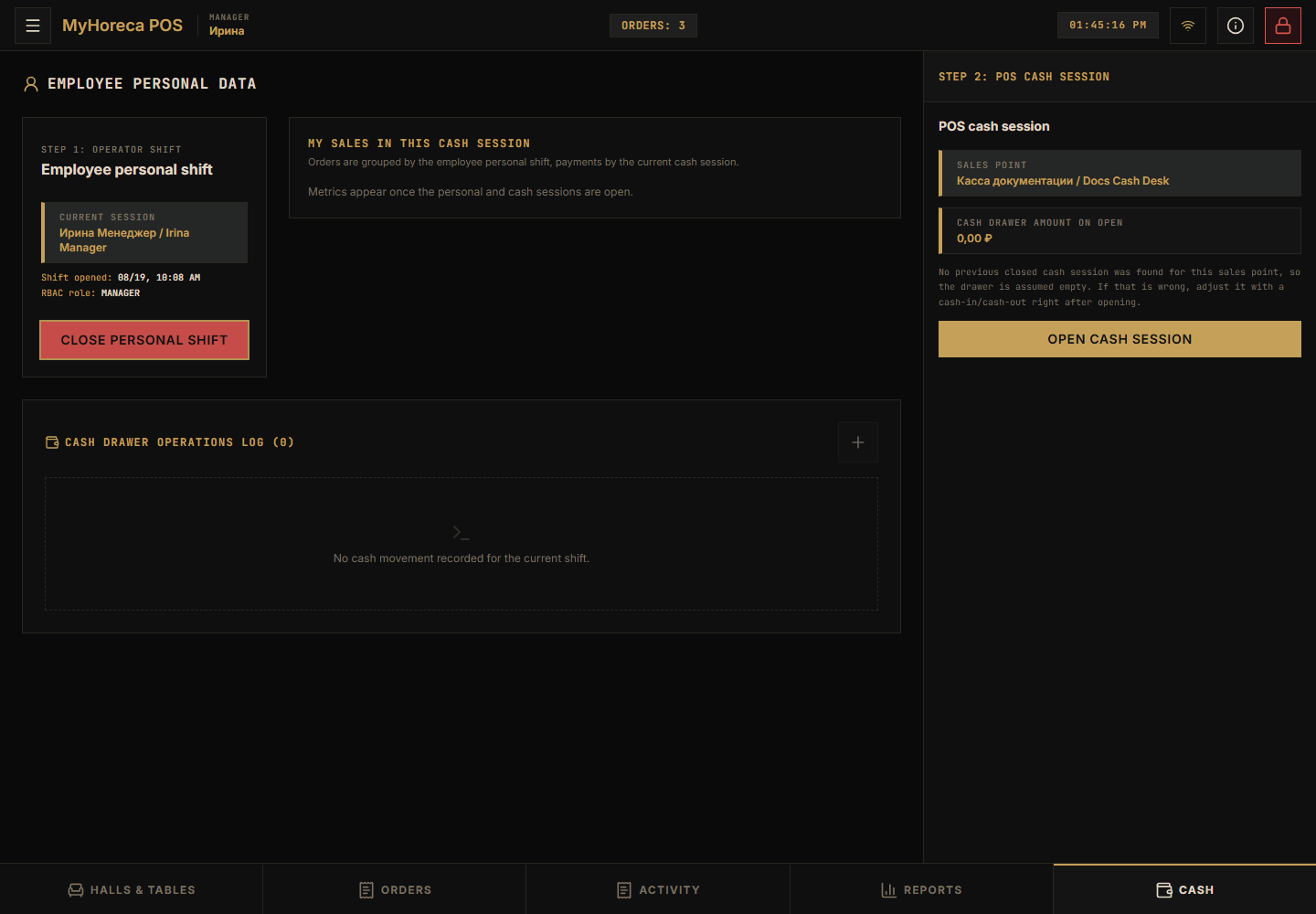
- On the right, find cash session controls and tap Open cash session.
- If asked for starting cash, enter the amount (or
0if your manager said so). - Confirm.
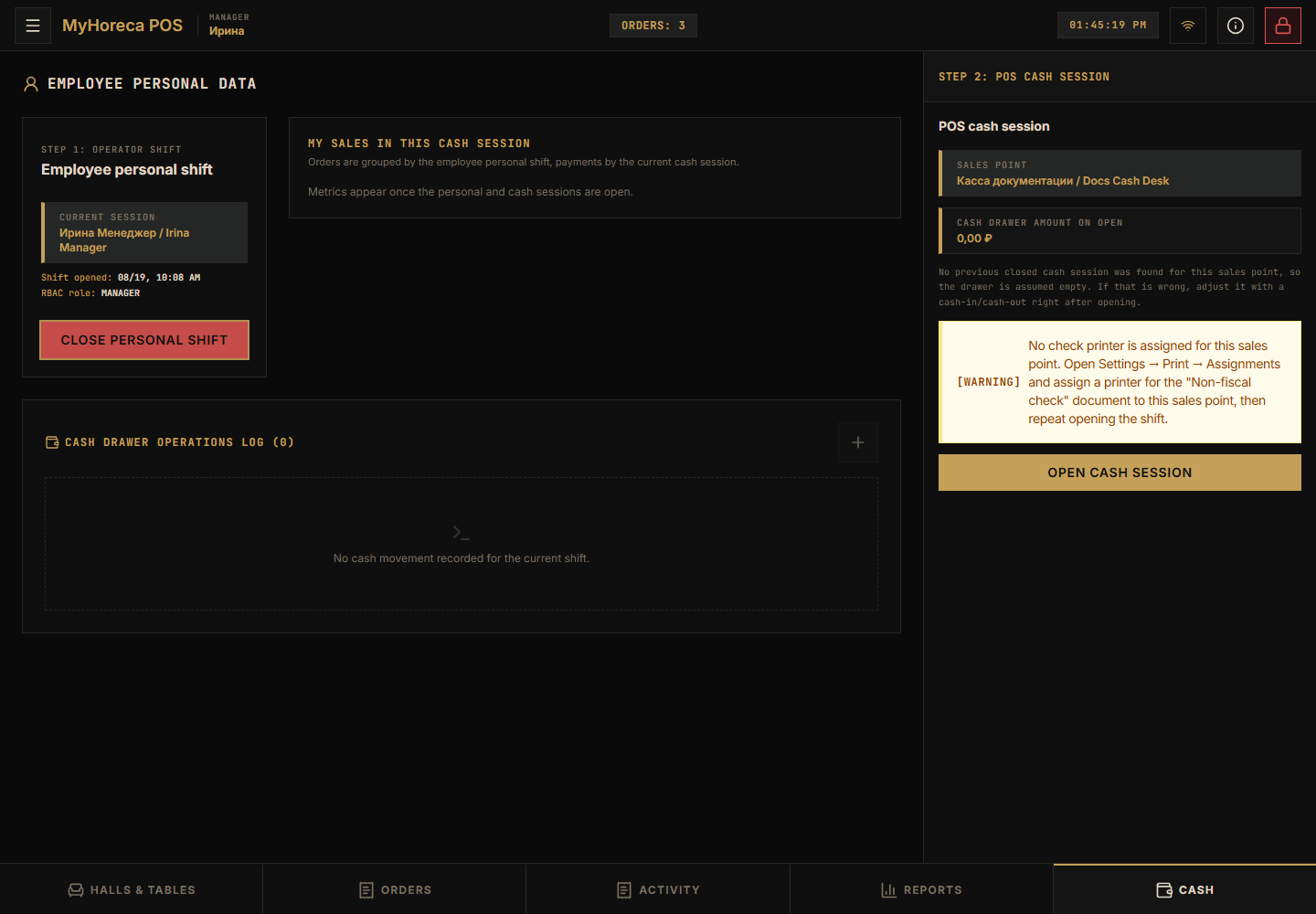
If you see a printer warning
Section titled “If you see a printer warning”A yellow warning may say no check printer is assigned.
Payments may stay blocked until a manager assigns a printer in print settings.
If it fails
Section titled “If it fails”- “No sales point” — device not linked;
- “Already open” — continue in the current session;
- “No permission” — need senior cashier / manager.